 Tiksuma
A stopwatch in your Mac menu bar.
Start, pause and record laps. Keep elapsed time visible while you work.
Free · macOS 15 or later

Features
Timing continues with the controls closed and through sleep. Relaunch recovery brings your session back when you reopen the app.
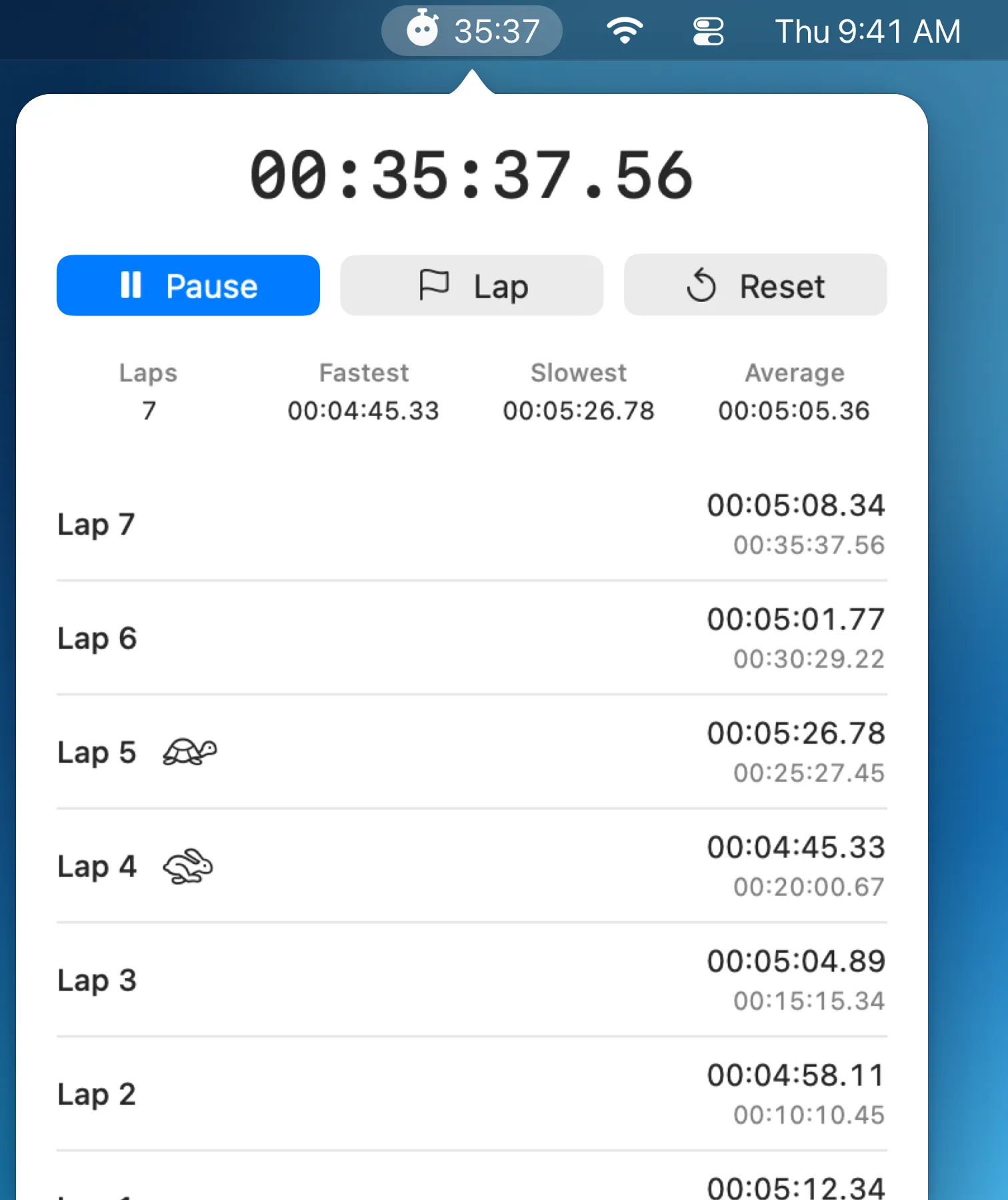
Laps and statistics Free
Compare split and total times. The fastest and slowest laps are marked. Copy the current session as text.
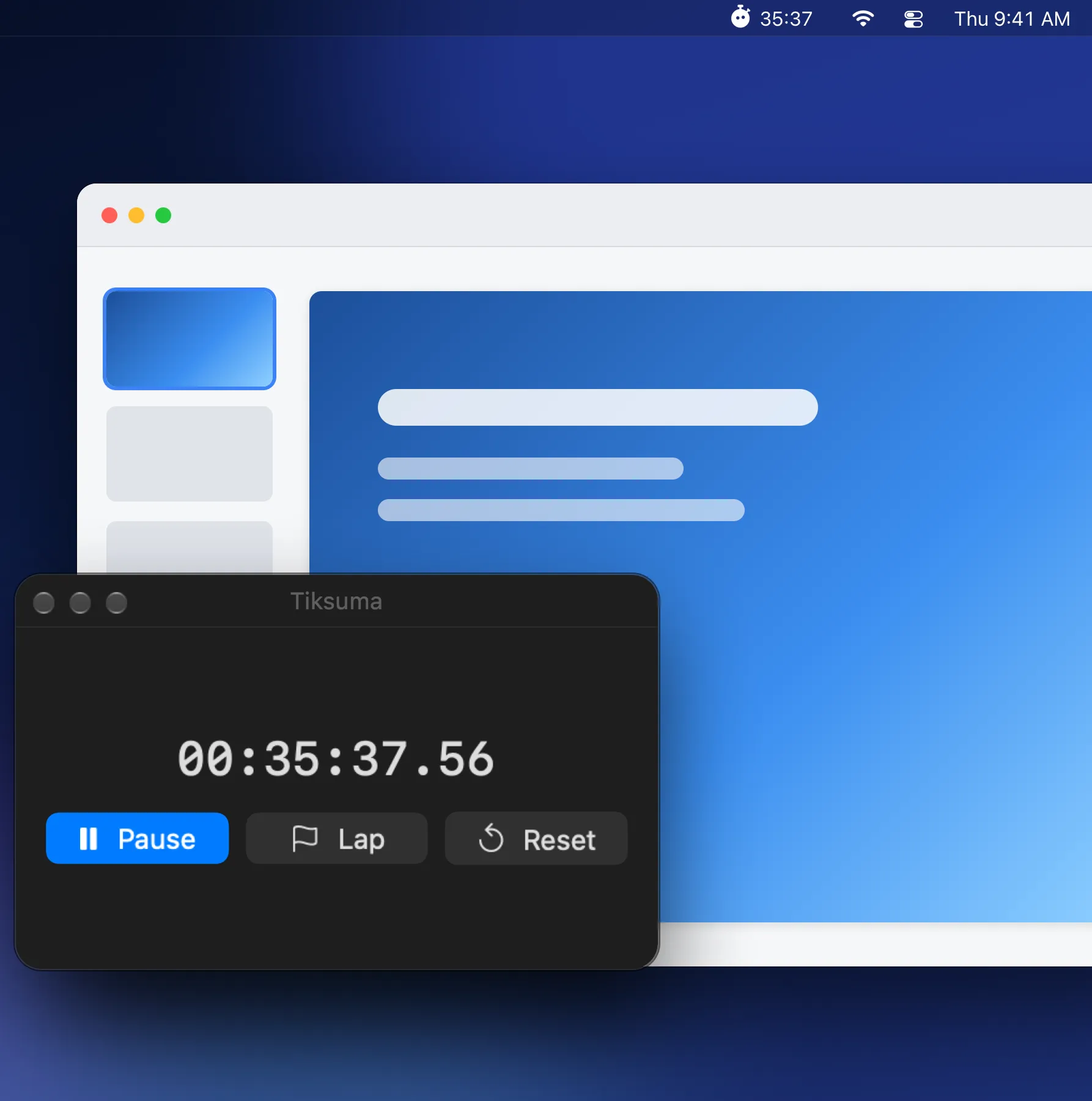
Floating mini window Pro
Keep elapsed time and controls in view above your other windows.
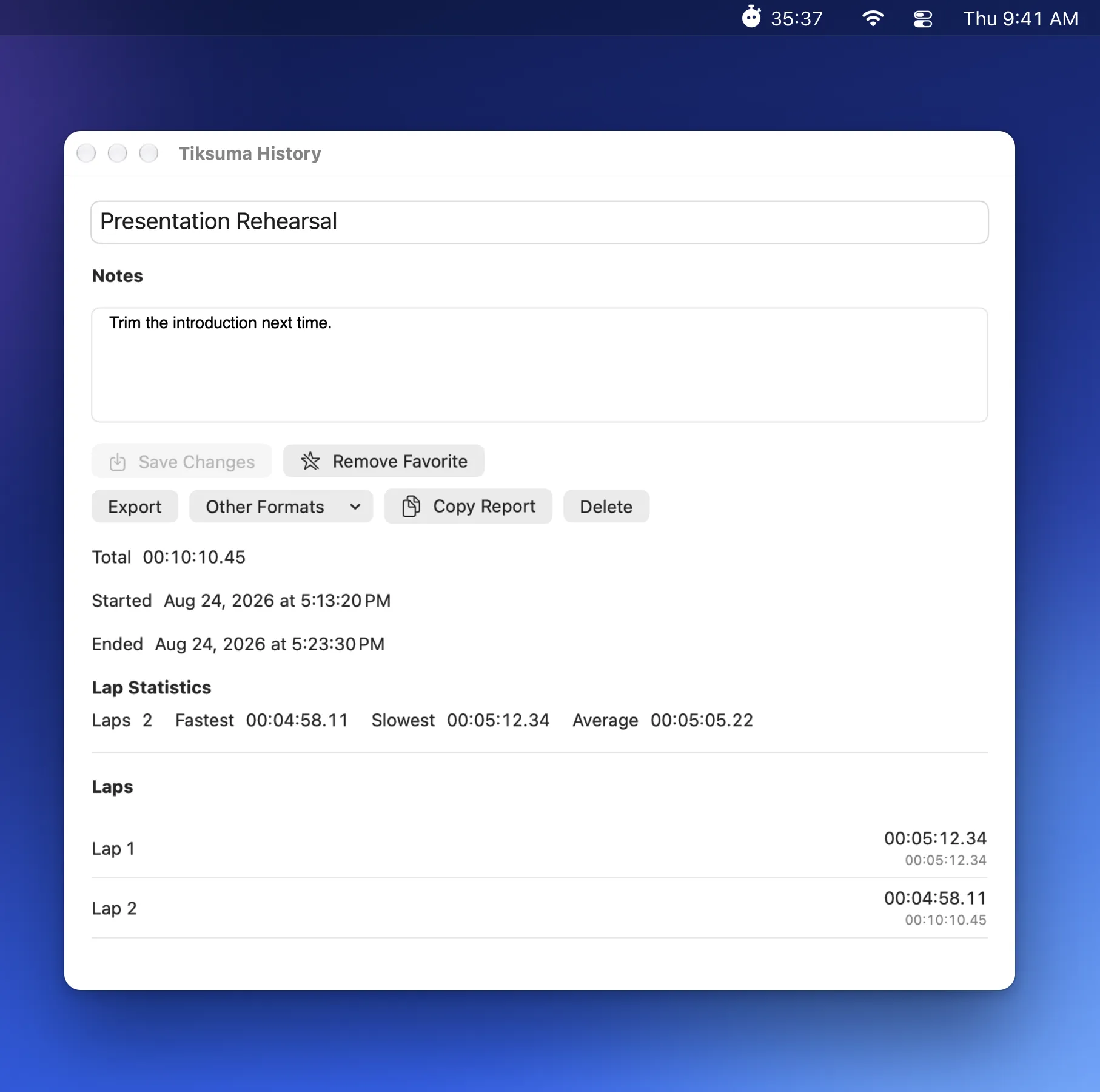
Saved history Pro
Name sessions, add notes and favorites, search and export to CSV or text.


What’s included
Use the stopwatch for free. Pro adds history, exports and customization with one in-app purchase.
Free
- One stopwatch: start, pause, resume and reset
- Unlimited laps and statistics for the current session
- Copy the current session as text
- The running time in the menu bar, in the default format
- Adjustable background opacity
- Relaunch recovery and Launch at Login
Pro
- Saved history and auto-save on reset
- Session names, notes, favorites and search
- Export to CSV or text, and copy a formatted report
- Floating mini window and its preferences
- Menu bar format, precision and visibility when idle
- Lap display customization
Free online tools
The online stopwatch, timer and clock run in your browser, with no account. They are separate from the Mac app.
Questions
App data stays on your Mac. Tiksuma has no account, analytics, ads or cloud sync. Read the privacy policy for details.
Tiksuma is available in 12 languages: Chinese (Simplified), Chinese (Traditional, Taiwan), Czech, Dutch, English, French, Italian, Japanese, Korean, Polish, Portuguese (Brazil) and Spanish. It uses your Mac’s language. To choose a different language for Tiksuma only, open System Settings > General > Language & Region and add Tiksuma under Applications.
No. Closing the menu bar window, Settings, History or the mini window leaves a running stopwatch counting.
A running stopwatch includes time spent asleep. A paused stopwatch stays paused.
Use Restore Purchases in Settings or the Pro purchase screen.
No. The Mac app has one stopwatch with laps, and no timer or alarm. For a countdown, use the free online timer.
The app does not request Accessibility, Input Monitoring, Screen Recording or Full Disk Access. Apple handles purchases.

Get Tiksuma for Mac
The stopwatch is free. Pro is an optional one-time purchase.
Download on the Mac App StoremacOS 15 or later